
Radio asking for a code after a battery change?
Recover your Daewoo radio code in 3 minutes
Example radio identifiers: Daewoo
Compare the format of your number. Enter the details from your own radio in the form, not these examples. Where can I find my radio’s serial number?
Daewoo
HY66N00093
Part / device / model number: 28185 3HW4C
Date: 16.06.15
Daewoo
DW18N1146905BH30D
Part / device / model number: 28185BH30D
Date: 12.05.2011
Before you order
How to find your Daewoo radio number
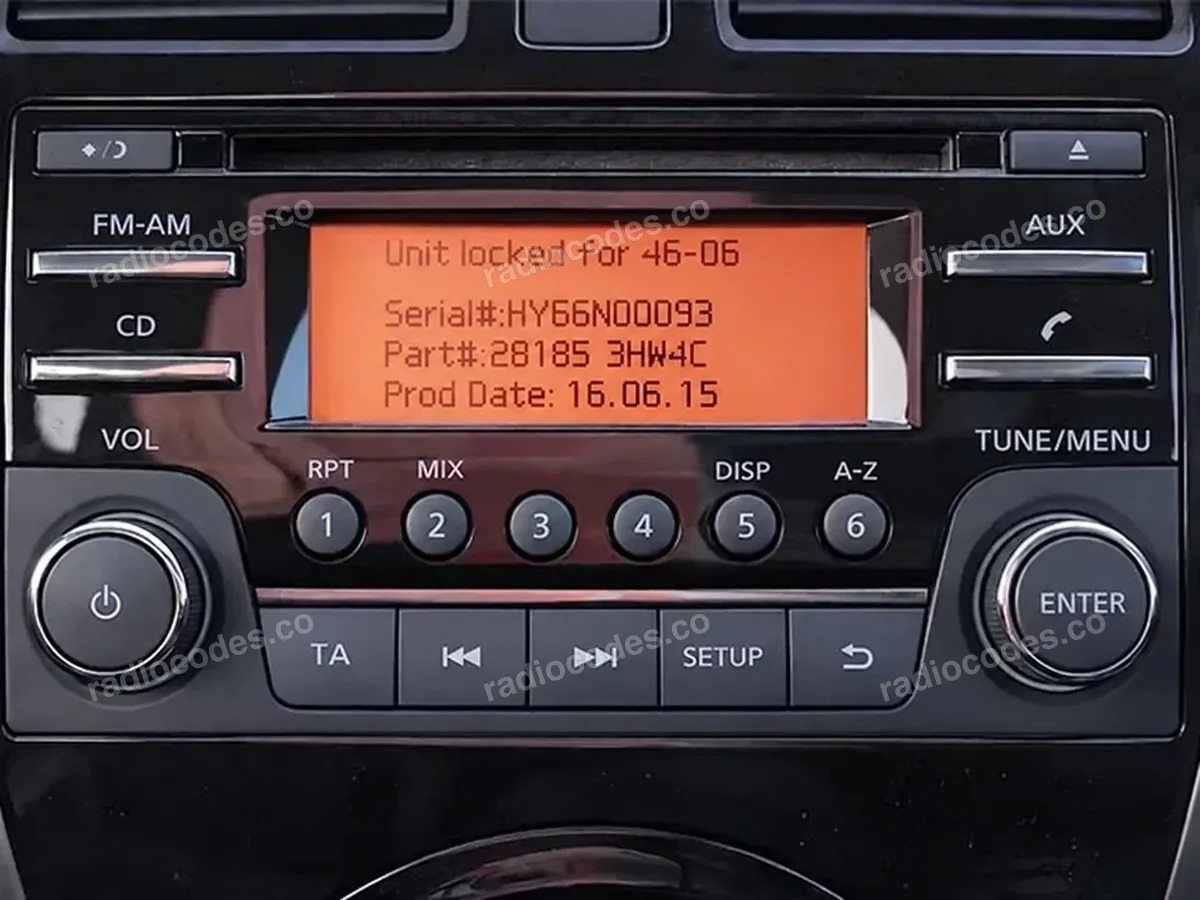
Daewoo radio screen
What to copy
Serial number, part number and date from the same screen or label.
Daewoo
CD radio with a small display. The serial number may start with DW, DS, DT, HY, HD, HG or HP.
Example details
- Serial number
HY66N00093- Part number
28185 3HW4C- Date
16.06.15
How to find the details
- Switch on the ignition and radio. If it asks for a code, enter any incorrect 4-digit code and confirm it. Do this 3 times in total. The screen will show the serial number, part number and date.
- Copy all three details from the screen. If your radio does not display them, remove it and read the casing label. Copy the full serial, even if it is longer than the one in the example photo.
- Enter the serial in the form first — the part number and date fields will then appear. Keep the day, month and year in the order shown on the screen or label.
Daewoo radio code: questions and answers
How it works
Recover the code for your Daewoo radio in three simple steps.
Prepare your radio details
Follow the guide for your radio to find the serial number, VIN or other details requested in the form.
Order your radio code
Enter the required details and your email address. Check your information, then pay securely online.
Receive your code by email
Your code arrives in your inbox. Follow the instructions for your radio to use it and get your music back.