
Mercedes radio codes
Get your Mercedes radio code online in 3 minutes and enjoy your favourite music again — no dealer visit required.
Get Radio Code
Example radio identifiers: Mercedes
Compare the format of your number. Enter the details from your own radio in the form, not these examples. Where can I find my radio’s serial number?
Becker
W1507123
Part / device / model number: BE2210
58153123
Part / device / model number: BE6045
MF2910
AL2910X0505900
MF2199
AL2199W0738426
Head Unit
ME7480E213B117
MEB100E9195120
PA1105B3383045
AL0811D3281257
HB9013B4496383
Renault
B250
281155216RTF286
Blaupunkt / Bosch
BP723346696293
Part / device / model number: 7 644 221 310
815CM0009C6741832
Part / device / model number: 7 620 000 009
Audio 5
PA9715W0028233
TRUCKLINE CC20 (Visteon)
M684219
Find your Mercedes radio serial number
Choose your radio to see which details to copy from its label.
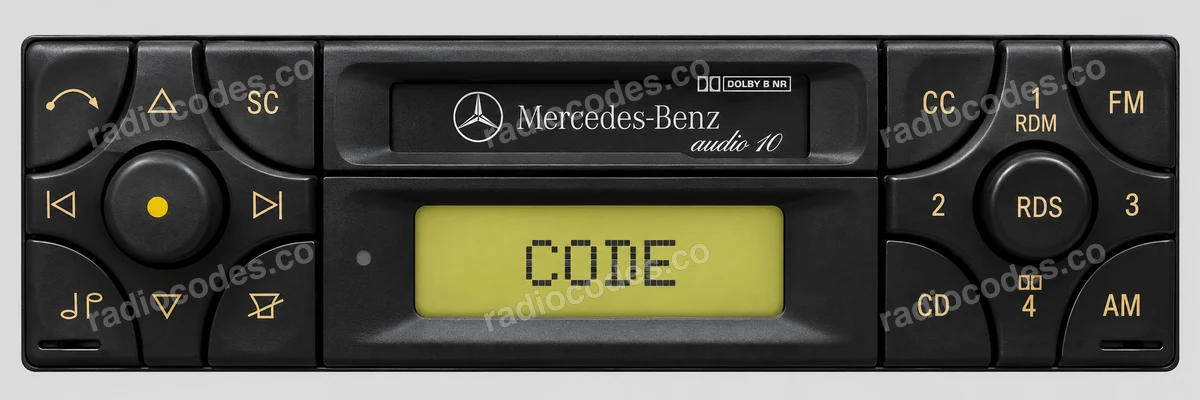
Becker / Audio 10
- Use the correct removal keys or undo the mounting screws, then slide the radio out to see its label.
- Copy Serial-No. into the serial number field. Keep the first letter or zero.
- Enter Model-No., including BE, in the second field. Use these separate fields rather than the combined string beneath the barcode.
Alpine / Audio 10 CD
- Slide the radio out using removal keys, or remove the trim and mounting screws, depending on the model.
- Find S/NO. on the casing. The AL serial may be stamped into the metal beside the label.
- Enter the whole serial, including the letter in the middle. MF2199 is the model, not the serial number.
Citan
- Remove the trim and mounting screws, then slide the radio out to see the label.
- Find the long number beneath the barcode starting with 2811. This is different from Part Code.
- Enter the full number or its final precode: one letter and three digits. The label shown has precode F286.
Head Unit
- Check the screen message. If a full unit serial is displayed, copy it. Otherwise, slide the radio out and read its label.
- Copy the full serial starting with AL, GA, HB, HM, ME, PA, VT, CO, CM. The Mercedes A… part number is not the serial.
- Enter the details in the form.
Blaupunkt / Bosch
- Slide the radio out and find the label or stamped number on its casing.
- Copy the serial containing BP or CM, even if it has 815 before it. Keep all letters and digits.
- Enter the part number starting with 7 in the second field. The photo shows the label layout; the vehicle brand on it may differ.
Panasonic / Audio 5
- Use the correct removal keys or undo the mounting screws, then slide the radio out. Find the Panasonic / Matsushita label.
- Copy the full PA number below the barcode. The short SERIAL No. above it is not enough.
- Keep every letter and leading zero. The A… part number and CQ… model are not the serial.
Panasonic models
- Audio 5
- 9715, 9827, 9926
- Audio 30
- 9719
- Bose
- 9610, 9612, 9613, 9810, 9812
- Radio Cassette
- 9811, 9813
- Exquisit
- 1320, 9401, 9611
Visteon
- Slide the radio out and find the Visteon label marked TRUCKLINE.
- Read SERIAL NO. The radio shown has M followed by six digits.
- Enter the full number, including M. The YU3F… part number and Mercedes A… number are not the serial.
Mercedes radio code questions
Quick facts for Mercedes owners
Instantly
Becker, Alpine, Blaupunkt, Bosch, and Harman
Audio 10, Audio 20, Audio 50, COMAND, COMAND APS, COMAND NTG, and MBUX
How it works
Recover the code for your Mercedes radio in three simple steps.
Prepare your radio details
Follow the guide for your radio to find the serial number, VIN or other details requested in the form.
Order your radio code
Enter the required details and your email address. Check your information, then pay securely online.
Receive your code by email
Your code arrives in your inbox. Follow the instructions for your radio to use it and get your music back.
Select your Mercedes model
Choose your Mercedes model to get your radio code. We'll show you which details you need.
Mercedes radio models by part number
Find your exact Mercedes radio model or part number to see its serial number format and get the radio code.