
Radio asking for a code after a battery change?
Recover your Land Rover radio code in 3 minutes
Get Radio Code
Example radio identifiers: Land Rover
Compare the format of your number. Enter the details from your own radio in the form, not these examples. Where can I find my radio’s serial number?
Visteon
M328991
M073926
Becker (Traffic Pro)
55073928
Part / device / model number: BE4765
Find your Land Rover radio serial
Choose the radio that looks like yours. See where to find its serial and how to enter the code.
Example serial
M073926
The serials shown are examples. Enter the serial from your own radio.
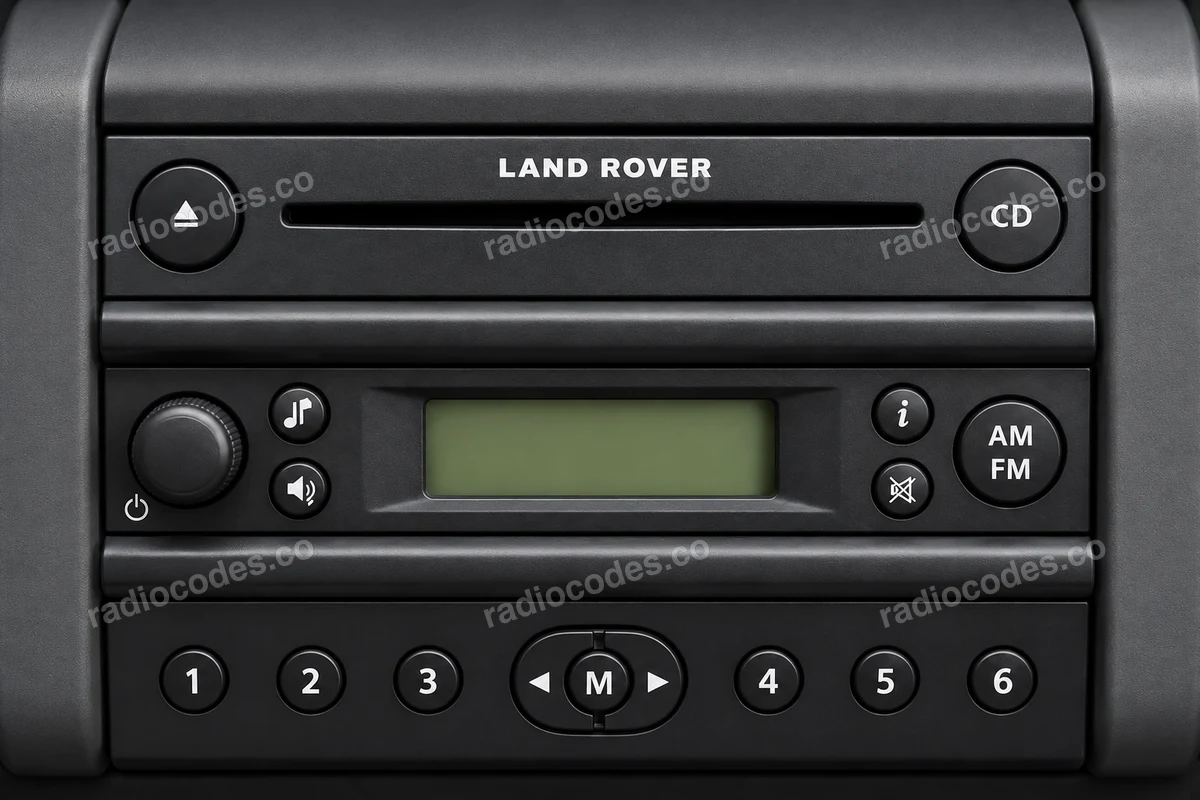
Visteon CD
- Switch the radio on. Hold 2 and 6 together. Some versions show the serial on screen.
- If it does not appear, switch the radio off and slide it out. Read SERIAL NO. from the casing label.
- Enter M and all 6 digits. An XQE or 18C838 part number and the stored VID are not the radio serial.
How do I enter the code?
Switch the radio on. At CODE, press any button except seek-up to begin. Press buttons 1–4 repeatedly to set the four digits in order. Confirm with the right tuning arrow >, not button 5.
Models and variants
Compare the panel and label. The same car model can have different radios.
6500 CD, FL3 CD EUROPE, FL3 CD USA, FL5 CDX6 EUROPE, FL5 CDX6 USA
Cassette radio
- Switch the radio off. If the panel has removal holes, insert the correct release keys and gently slide the unit forward.
- Check the manufacturer, model and serial on the casing. Similar panels can have different identifiers.
- Copy the full serial. For an M-series unit, keep M and all 6 digits; do not shorten other serials to match this format.
How do I enter the code?
On the R770, press 1 at CODE. Use the tuning arrow to select the first digit, then press 1 to store it. Repeat for the other three digits. The final press of 1 confirms the complete code. Other cassette radios may use a different procedure.
Models and variants
Compare the panel and label. The same car model can have different radios.
R770
Becker Traffic Pro
- Switch the radio off and slide it out. Find Serial No. and Model No. on its label.
- Copy the full 8-character serial, including any letter and leading zeros, and the model: BE followed by 4 digits.
- Enter your serial in the form. If the model field appears, enter the BE model from the label.
How do I enter the code?
On Traffic Pro BE4765/BE4775, enter the five-digit code using the buttons below the screen at Enter Code Number. The radio accepts the correct code after the last digit. Other Becker models may use a different method.
Models and variants
Compare the panel and label. The same car model can have different radios.
Traffic Pro BE4765, Traffic Pro BE4775
Radio code questions
How it works
Recover the code for your Land Rover radio in three simple steps.
Prepare your radio details
Follow the guide for your radio to find the serial number, VIN or other details requested in the form.
Order your radio code
Enter the required details and your email address. Check your information, then pay securely online.
Receive your code by email
Your code arrives in your inbox. Follow the instructions for your radio to use it and get your music back.