
Citroen PF1(A) radio code
Get your original Citroen PF1(A) radio code (BLAUPUNKT) online in 3 minutes. Receive your code by email — no dealer visit required.
Citroen PF1(A) serial number format
BP176012345678
- Serial number length: 14 characters
- The serial number starts with BP1760
Blaupunkt-built units have a 14-character serial number (letters and digits) printed on the label or engraved on the metal case, for example BP3301Y1234567 or 3A053278005827. The 10-digit part number starting with 7 (e.g. 7 643 301 316) is also required for the calculation, so make sure it matches your unit. On some labels the serial is split into fragments (e.g. "4 9571489 7643063510 4") — combined, this reads as BP306349571489.
How to find your Citroen radio details
Choose a radio like yours to see where to find its number.
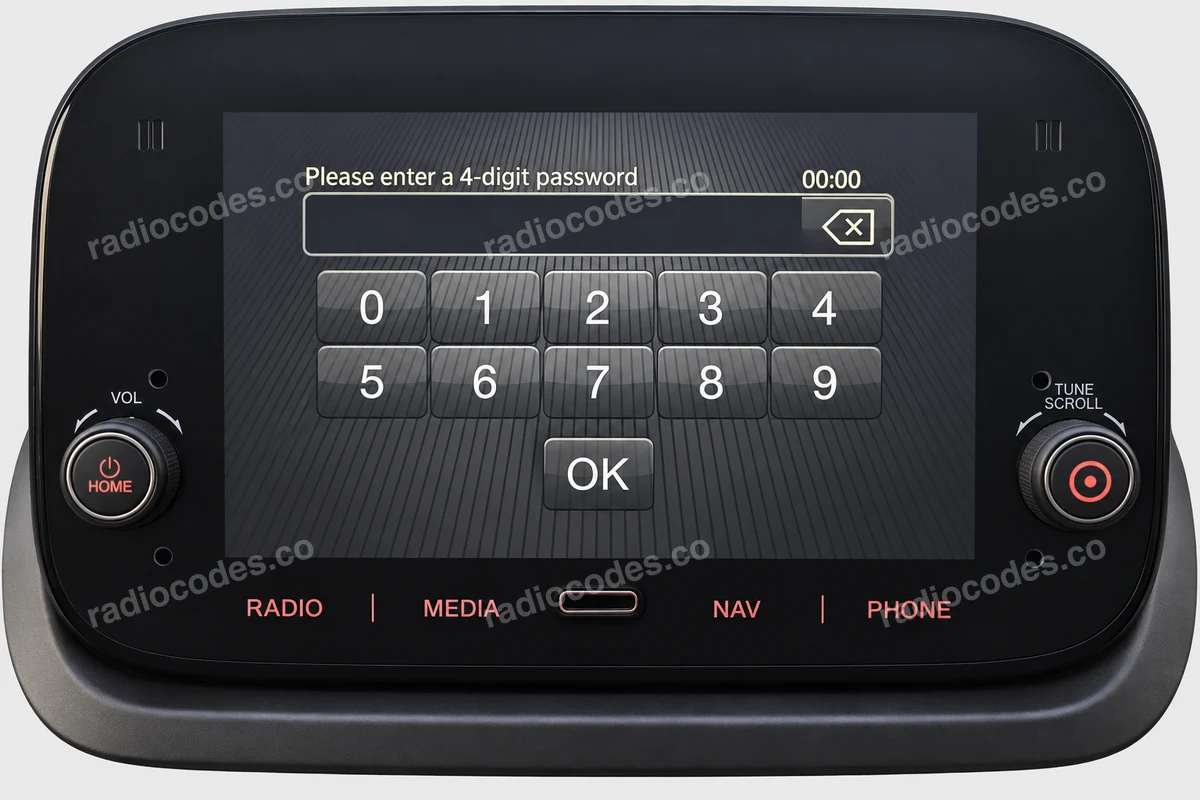
Daiichi
- Slide the radio out and find the DAIICHI label. Read the short serial number, keeping letters and leading zeros.
- Enter it in the form and select DAIICHI as the manufacturer. Do not select this for a Delphi, APTIV or Magneti Marelli unit.
How to enter the code
On the pictured Daiichi screen, enter the digits of your code using the on-screen keypad and confirm with OK.
Continental
- Slide the radio out and find the Continental label. Copy the entire long A2C… or A3C… number, including zeros.
- If the form asks about the label, choose the large or small version matching the photo. For the small label, follow the next set of instructions.
A short A2C number may identify a part rather than your individual radio.
Blaupunkt / Bosch
- Slide the radio out and find the label on the side or top of its casing. See the removal steps below.
- Copy the full number starting with BP or CM, including 815 if it appears before them. Keep letters and zeros.
The part number starting with 7 6… does not replace the serial.
Clarion
- Slide the radio out and check all labels on its casing. Look for a separate barcode sticker with a C7000000… number.
- Enter the full number: C7000000 followed by the last four digits. Keep every zero; leave out the asterisks.
How to enter the code
On the PU-2294A(C) version showing CODE IN, press the preset button for each code digit in sequence. The radio accepts it after the fourth digit.
Philips
- Slide the radio out and read its label. On the pictured 22RC200/65S, the precode is beside TO/T0.
- Enter the letter and three digits, e.g. D581. If you have a long serial number, copy it in full, including letters.
How to enter the code
On 22RC200/65S, switch on the radio and wait for CODE, then four dashes. Press the preset button for each code digit in sequence. The radio accepts it automatically after the fourth digit.
Other radios
- For another or replacement radio, use its own label. For Renault, copy the full number including the precode at the end, e.g. 281155911RTJ345.
- On an older Becker, read the serial and BE… model from the casing. Copy the full serial marking, not just the model number.
How do I reach the label?
Switch off the radio and ignition. If the panel has removal holes, insert the matching release keys, release the clips and slide the radio out. For screw-mounted units, remove the trim and mounting screws as described in the vehicle manual. Pull the radio out only far enough to read the label; do not pull on the wiring.
How it works
Recover the code for your Citroen PF1(A) radio in three simple steps.
Prepare your radio details
Follow the guide for your radio to find the serial number, VIN or other details requested in the form.
Order your radio code
Enter the required details and your email address. Check your information, then pay securely online.
Receive your code by email
Your code arrives in your inbox. Follow the instructions for your radio to use it and get your music back.
Supported Citroen PF1(A) part numbers
Check the list below for your radio's part number. Supported part numbers: 2.
- 7 641 760 094
- 7 641 760 394