
Hyundai i10 radio code
Get your original Hyundai i10 radio code online in 3 minutes. Receive your code by email — no dealer visit required.
Get Radio Code
Example radio identifiers: Hyundai
Compare the format of your number. Enter the details from your own radio in the form, not these examples. Where can I find my radio’s serial number?
EMP3
MP01060807
MP3
11 07 0210
(01) 1 880 912179 001 7 (21) 11 07 0795
Autonet
M0674077020
HN445-UN
FD0893456589123
UAU4934567X
UBTE333456X
FSV83345678X
S834000153Q6Y
Becker
7918HN065012235
65012235
Part / device / model number: BE7918
Where is the serial number on your Hyundai radio?
Choose the radio that looks like yours. Check the label to see which number to enter.
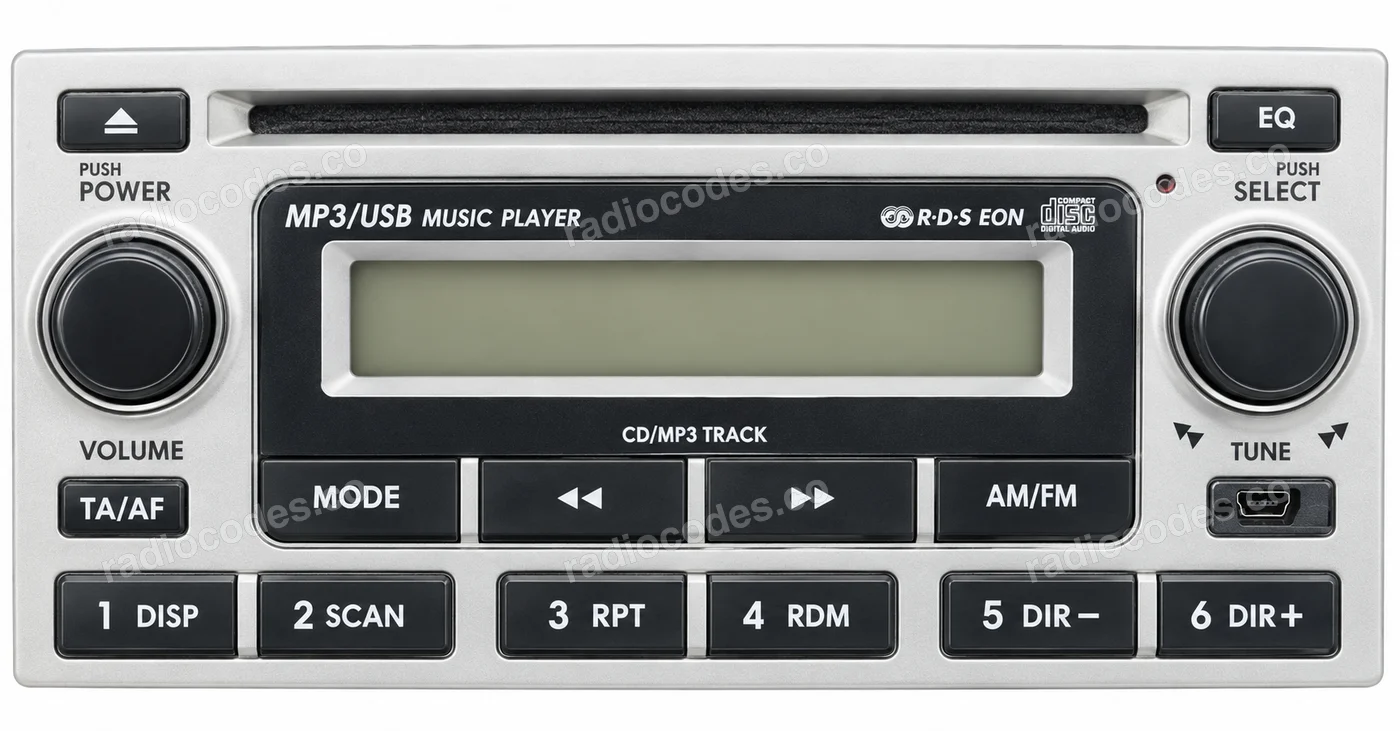
EMP3
- Slide out the radio and find the label marked SERIAL No. on the casing.
- Copy the two letters and 8 digits, for example MP05060213. Keep any zeros. The part number starting M8500 is not the serial number.
Example models
EMP300, EMP301, EMP302, EMP310B/G/K, EMP311K, EMP320, EMP322, EMP350
How do I enter the code?
On EMP300, switch on the radio. Use buttons 1, 2, 3 and 4 to set the four code digits in order: press each button until the correct digit appears. Check the whole code, then press 5 to confirm. For another model, check its manual.
MP3 / FD-01
- Slide out the radio and find the barcode marked (01) and (21) on its label.
- Enter all 8 digits after (21), for example 11 07 0795, or the full string including both bracketed sections. If you enter eight digits, select MP3 in the form.
Example models
PB-01, FD-01, MP3-01, MP3-03A/G, MP3-05G/TU, MP3-36TU
Do not enter just the last four digits. MP3 on the front also refers to a music format, so check the number on the label.
How do I enter the code?
On FD-01 and MP3-01, switch on the radio and wait for ENTER SECURITY CODE or 1 CDE. Set each digit with buttons 1, 2, 3 and 4, pressing each button until the correct digit appears. Check the code and press 5 to confirm.
Autonet
- Slide out the radio and read the full number on the label. On HN445 it may be along the bottom edge, for example M0674077020.
- Copy every letter and digit. If the HN445 label only shows MODEL, enter that full model number, for example HN445-UN.
Example models
HN445, HN445-UN, HN445JMEUABCA
Autonet uses several serial formats. See the examples above the guide. Keep the final letter and any zeros.
How do I enter the code?
Enter the code you receive when the radio asks for its security code. Check your Autonet model's manual for the digit selection and confirmation controls. A Bluetooth phone pairing code is a separate code.
Becker DTM
- Slide out the radio and read Serial No. and Model No. on the label, for example 55007460 and BE7918.
- Enter the serial number, select Becker and add the BE model. Alternatively, enter the full number below the barcode, for example 7918KT055007460. No separate model field is needed for this format.
Example models
BE7818, BE7918, BE7917, BE7919
How do I enter the code?
Switch on the radio with ON. When Enter Code Number appears, enter the five code digits using the buttons below the numbers on the display. Each press enters one digit. The radio confirms the code automatically after the last digit.
How do I reach the label?
Switch off the ignition. If the radio has removal slots, use the matching release keys. For a built-in unit, remove the trim and mounting screws as described in your vehicle manual. Slide the radio out to read the label on the top or side. Do not pull on the wiring.
Hyundai radio code: questions and answers
How it works
Follow these steps to get the radio code for your Hyundai i10 without visiting a dealer or workshop.
Find the serial number
Remove the radio or open the diagnostic menu to note the serial number (look for numbers such as MP01060807, M0674077020, HN445-UN, 11 07 0210, (01) 1 880 912179 001 7 (21) 11 07 0795, and 7918HN065012235). Clear photos help us validate it.
Order your Hyundai code
Enter your radio details and the email address where you'd like to receive your code.
Receive and enter the code
You'll receive your code by email. Enter it into your radio and get back to enjoying music on the road.
Quick facts for Hyundai i10 owners
Instantly
Becker, LG, Hyundai Mobis, and Harman
Display Audio, AVN, Bluelink, EMP3, and Autonet
2008-2024
Before ordering a Hyundai i10 radio code
Required information
For a Hyundai i10, prepare the radio serial number, part number, VIN, or a clear label photo if the form asks for it. Serial numbers often look like MP01060807, M0674077020, HN445-UN, 11 07 0210, (01) 1 880 912179 001 7 (21) 11 07 0795, and 7918HN065012235.
What helps us find the right code
You can still order a code if your Hyundai i10 radio has been replaced, has unusual markings or a hard-to-read label, or shows a lockout message. Clear photos and accurate details help us find the right code for you.
Why a code may fail
The most common causes are an incorrect serial number, a mismatched VIN, entering the code during a temporary lockout, or using it on a different radio from the one listed in your order.
Fast delivery and help with your code
We deliver codes for supported radio models instantly. If your code doesn't work on the radio listed in your order, report the issue using the form. We'll check the details and help you work out what's wrong.