
Renault 22DC451/62L RADIOSAT 4000 radio code
Get your original Renault 22DC451/62L RADIOSAT 4000 radio code (PHILIPS) online in 3 minutes. Receive your code by email — no dealer visit required.
Get Radio Code
Renault 22DC451/62L RADIOSAT 4000 serial number format
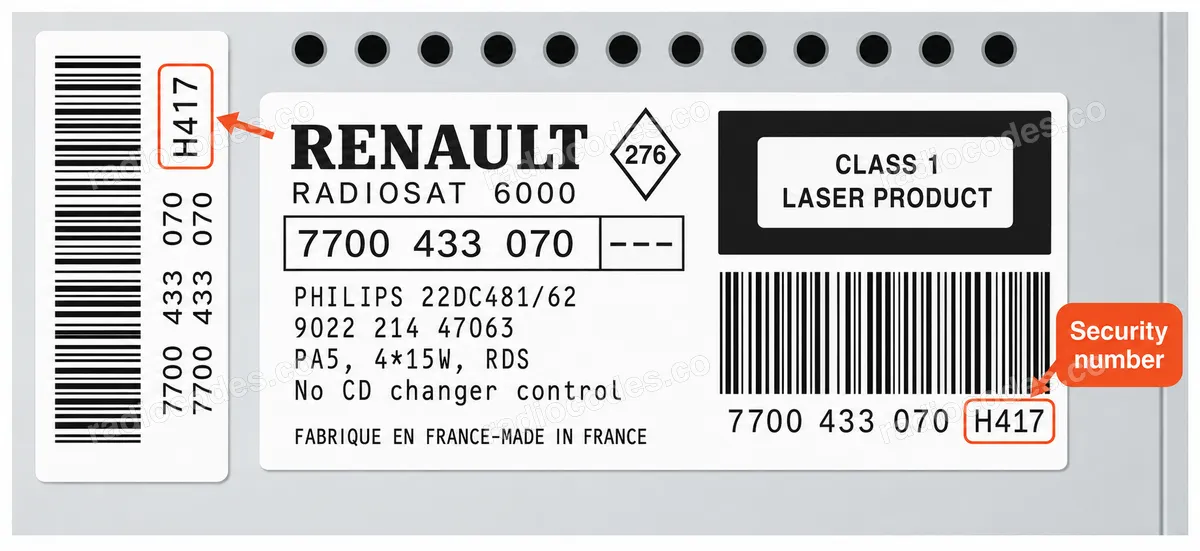
A123
- Serial number length: 4 characters
This unit uses a 4-character SECURITY (precode) number: one letter followed by 3 digits, for example W417. It is printed on the label on the radio housing, next to the longer 14-character serial number. Enter the full 4-character security number — not the long serial — when ordering.
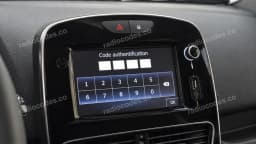 Media Nav showing “Authentication key”?See what the authentication key is and how to get it in 3 minutes.
A code retrieved by VIN is for the radio originally fitted to the car. If the radio has been replaced, read the details from the unit currently installed.
How to find the vehicle VIN
The VIN is your vehicle’s 17-character identification number. Choose a location to see an example.
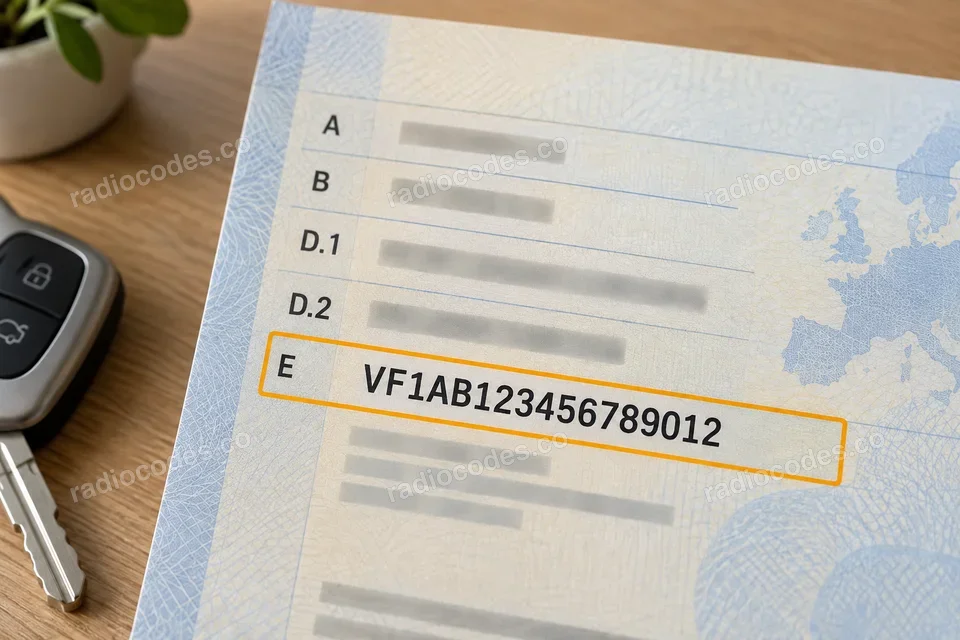
Number in the selected photo:
VF1AB123456789012
Clearest number
Registration document
Start with your vehicle registration document — the VIN is clear and easy to read.
Door pillar
Open a front door and check the sticker or plate on the pillar. Depending on the model, it may be on the driver’s or passenger’s side.
Windscreen
Look from outside along the bottom edge of the windscreen. Find the small window showing the VIN on the dashboard.
Under the bonnet
Open the bonnet and look for the VIN stamped into the metal bodywork, for example near a suspension strut tower. Use the chassis number, not the engine number.
VIN locations vary by model and year. The illustrations show example locations.
Where can I find my Renault radio number?
Choose the method that matches your radio. If it is the original factory-fitted unit, you can also use your vehicle's VIN.
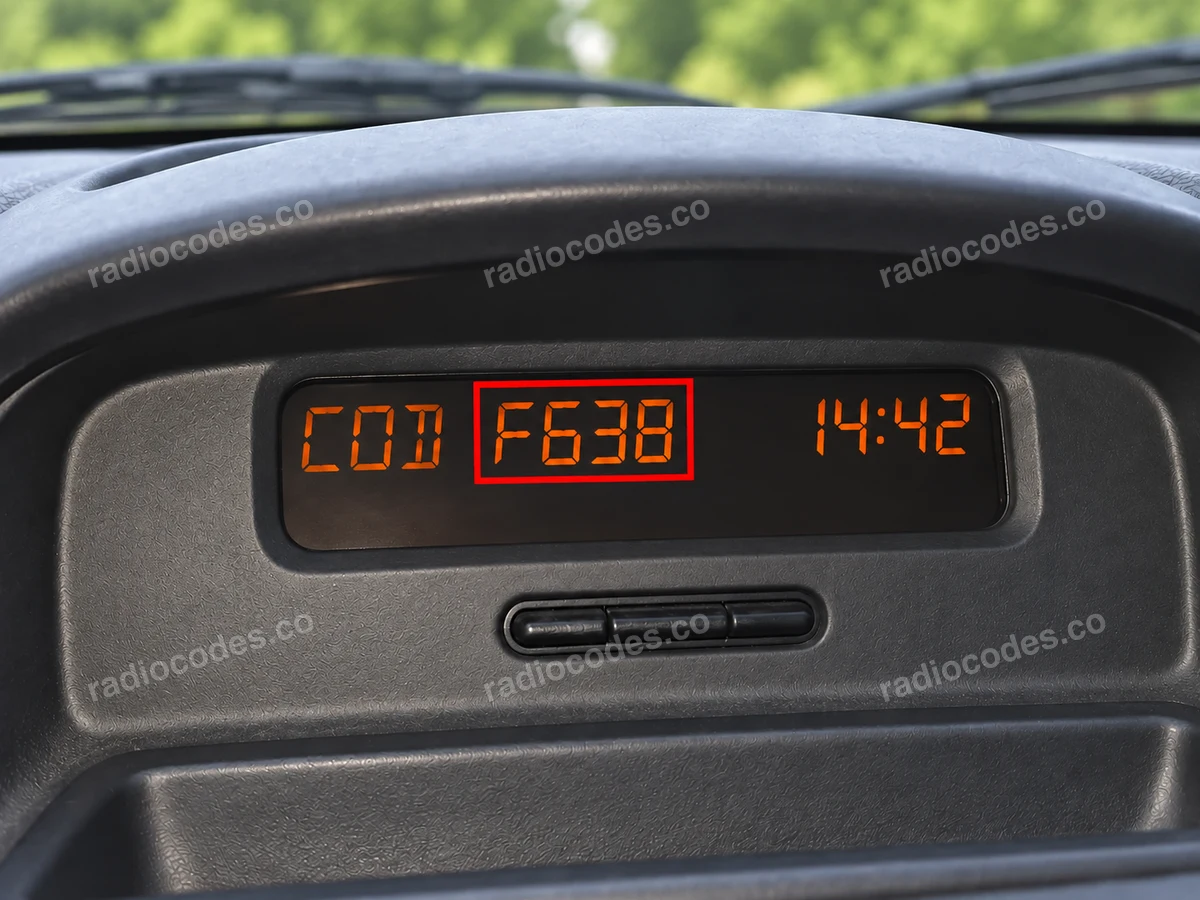
Number in the selected photo:
F638
Find the precode using buttons 1 and 6
- Switch on the ignition and the radio. On older radios that support this method, press and hold 1 and 6 together for a few seconds.
- Check the radio screen or the separate dashboard display. If you see one letter and three digits, such as F638, write down all four characters. This is the precode you need for the form.
- If the screen still shows CODE or 0000 after you hold the buttons, read the number from the label on the radio casing. If the radio is the original factory-fitted unit, you can use the vehicle's VIN instead.
CODE or 0000 means the radio is waiting for you to enter its code. The precode you need has a different format: one letter and three digits, such as F638. Not every radio can display it using buttons 1 and 6.
Media Nav / Media Nav Evolution
- If the screen shows Authentication key, Code authentication or a request for a code, the unit needs its four-digit radio code.
- For the original factory-fitted radio, select VIN (no radio removal) in the form and copy all 17 characters from your vehicle documents or the vehicle itself.
- If the radio has been replaced, read the full number from the label on its casing. In the example shown, this is 281155911RTJ682; the final J682 is the precode. Select Radio serial number in the form.
The part number alone, such as 281155911R, is not enough. Copy the complete number next to the barcode, including the letter and three digits at the end.
Label on the radio casing
- Look for the label on the top, side or rear of the radio. If it is hidden, the unit needs to be slid out. Radios with four release holes require suitable removal keys; other versions need the trim removed and the mounting screws undone. The method depends on the model. A workshop can help you access the label.
- Look for a field marked Security, Precode or Code. A short precode consists of one letter and three digits, such as Z639. It may also follow T0, as in T0F312.
- If the number next to the barcode starts with 2811, 8200 or 7700, copy it in full, including the letter and three digits at the end. The part number in the Part Code field alone is not enough.
- For a Blaupunkt radio, read the full number beginning with BP. On supported Delphi radios, the number starts with 89 followed by five letters and nine digits. Enter these numbers in full; do not shorten them to four characters.
Compare the number with the gallery examples. Copy every letter and digit, including leading zeros. The serial number, precode and part number are different identifiers.
Copy the details from your own radio, including every letter and zero. The numbers in the photos are examples only.
How to enter the code into your Renault 22DC451/62L RADIOSAT 4000
Switch the radio on — the display shows "CODE" and then "0000". There are two ways to enter the code, depending on your car's equipment: With the steering-wheel remote control (satellite): 1. Rotate the thumbwheel to set the first digit of your code and press the "¬" button on the stalk to confirm it. 2. Repeat the same for the second, third and fourth digit. 3. When the display shows your complete code, press and hold "¬" until you hear a beep. Without the remote control, use the radio's preset buttons: 1. Press preset button 1 repeatedly until the first digit of your code appears. 2. Press preset button 2 repeatedly to set the second digit. 3. Press preset button 3 repeatedly to set the third digit. 4. Press preset button 4 repeatedly to set the fourth digit. 5. Press and hold preset button 6 (on some units preset button 5) to confirm the code. That's it — your radio should unlock right away. If you make a mistake on any digit, simply keep pressing the same preset button until the correct digit comes around again.
How it works
Recover the code for your Renault 22DC451/62L RADIOSAT 4000 radio in three simple steps.
Prepare your radio details
Follow the guide for your radio to find the serial number, VIN or other details requested in the form.
Order your radio code
Enter the required details and your email address. Check your information, then pay securely online.
Receive your code by email
Your code arrives in your inbox. Follow the instructions for your radio to use it and get your music back.
Supported Renault 22DC451/62L RADIOSAT 4000 part numbers
Check the list below for your radio's part number. Supported part numbers: 1.
- 9022 214 51624