
4.9/5 from 1,013 reviewsRated 4.9 out of 5 based on 1,013 reviews
Mercedes-Benz · Alpine MF2910
Alpine MF2910 radio code
Radio showing CODE after a battery change? Enter the AL serial from the casing of your Alpine MF2910 and get its original code by email. No dealer visit.
Get Radio Code
Why your MF2910 asks for a code
The Alpine MF2910 is the Audio 10 CD radio that Mercedes-Benz fitted to many of its older models. Its anti-theft protection locks it whenever the power is cut, for example after a battery change or a repair, and it works again only after the code is entered.
Where to find the serial number
- Switch off the ignition. Slide the radio out with removal keys, or remove the trim and mounting screws, depending on the car.
- Look for S/NO. on the casing. The AL serial is printed on the label or stamped into the metal beside it.
- Enter the whole serial, including the letter in the middle, e.g. AL2910X0505900. MF2910 next to Model No. is the model, not the serial.
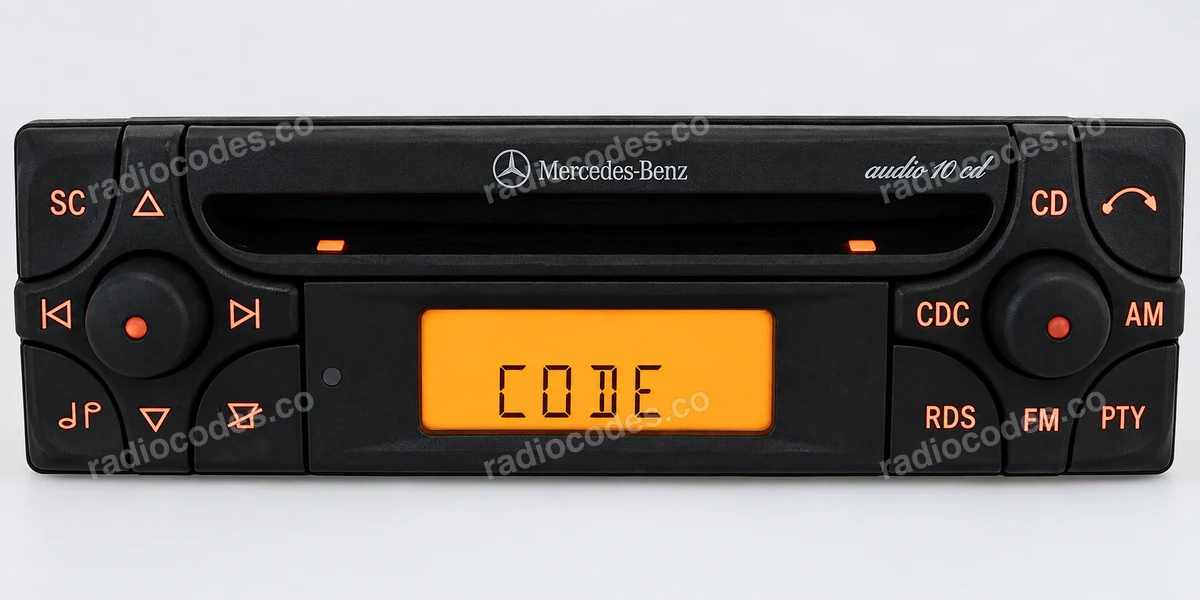
How to enter the code
Turn the right-hand rotary control to choose each digit and press it briefly to confirm. When the whole code is set, hold the control for about 3 seconds.
Frequently asked questions
Popular Alpine models
Alpine MF2910 radio code
Radio showing CODE after a battery change? Enter the AL serial from the casing of your Alpine MF2910 and get its original code by email. No dealer visit.
Get Radio Code